• Welcome to the BMW R18 Forums. Member registration disables ads and allows you to post and share. Register Here.

Site having issues posting photos

  • <i class="fa--xf fal fa-check "><svg xmlns="http://www.w3.org/2000/svg" role="img" aria-hidden="true" ><use href="/data/local/icons/light.svg?v=1768230793#check"></use></svg></i> Discussion starter Discussion starter MilwDave
  • Start date Start date
I can see the photo posting issues are back.
 
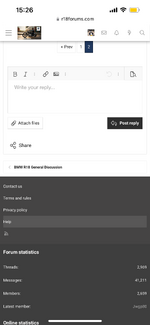
When I post pictures (I just did) I select the Attach files tab and that takes me to my photo library on my phone. I select the picture I intend to attach and that’s it. I am assuming you are doing the same, not sure why you are only presented with the link route.
Would it be a case that instead of selecting a picture from your library, you are selecting a file or the share icon? That may explain the link route.
 

Attachments

  • IMG_0976.png
    IMG_0976.png
    194.2 KB · Views: 2
I have always clicked on the image icon on the top of post and that also takes you to the photo library. I have done it the same way here and elsewhere forever. Only recently had this issue cropped up.
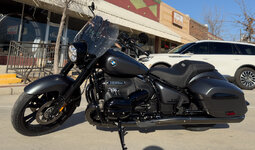
I attached the image below using your way.
 

Attachments

  • IMG_8823.jpeg
    IMG_8823.jpeg
    84.7 KB · Views: 5
Odd I just drag and drop mine into the text box and then they upload ... after I can click on them and a frame appears where I can size them as I want the pic to show ...
 
Back
Top